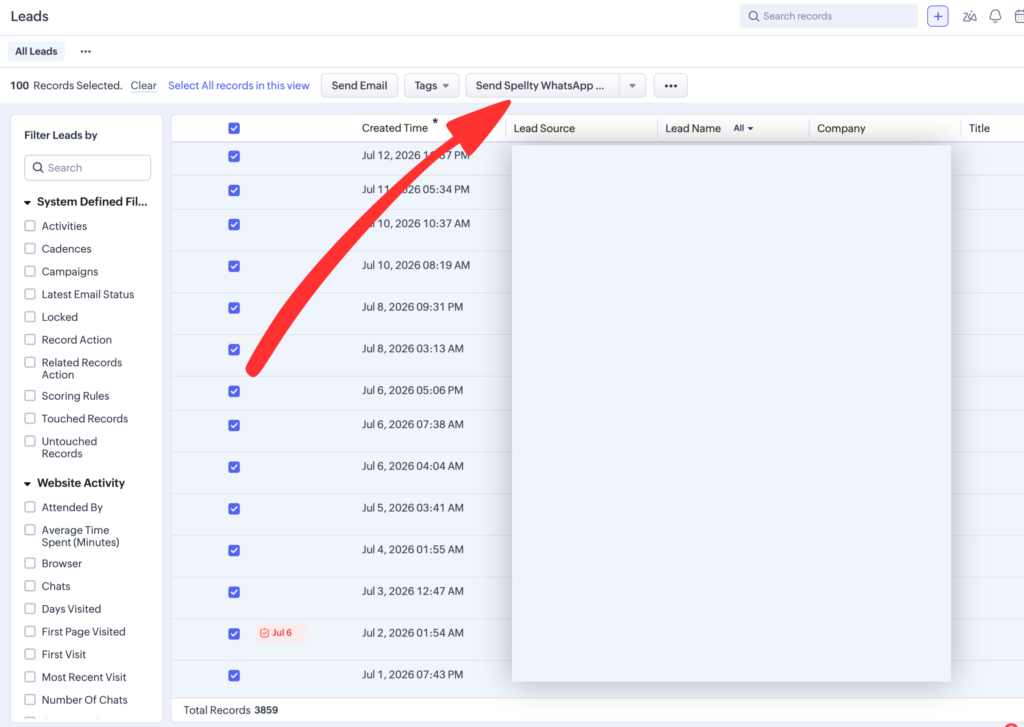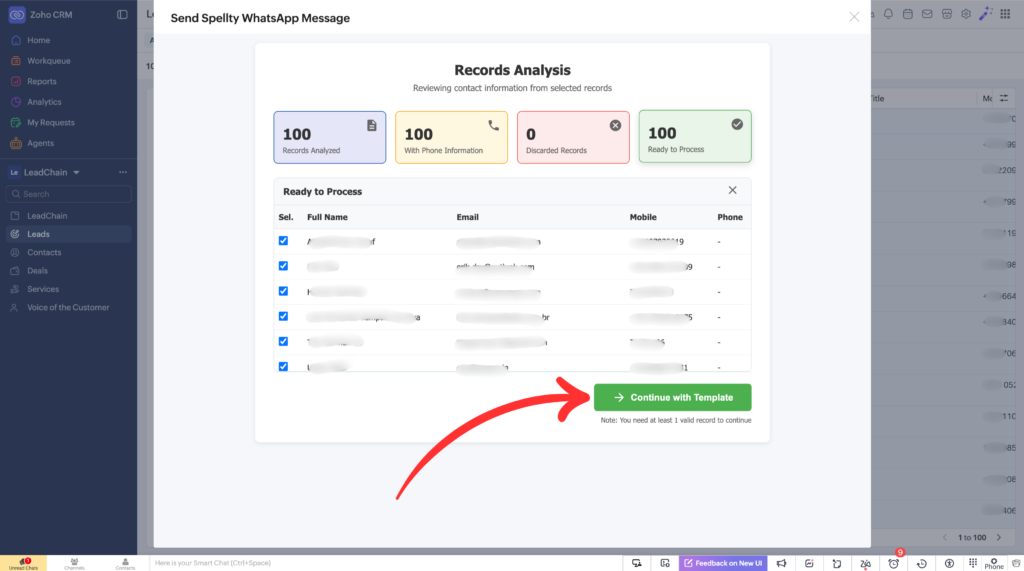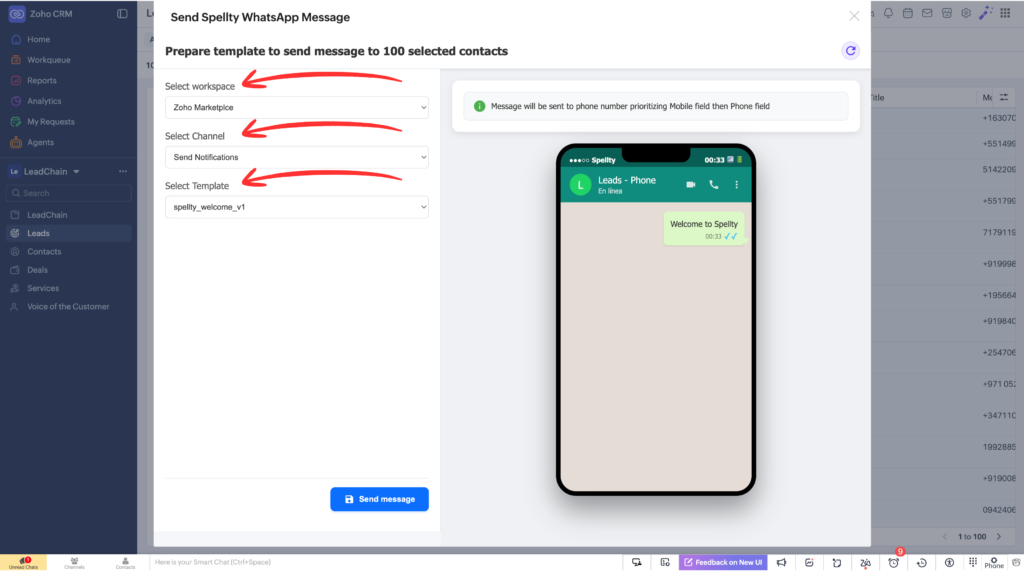

Spellty connects Zoho CRM and WhatsApp, allowing your team to automate messages, manage customer conversations, and access CRM information without switching between applications.
Automate WhatsApp Messages from Zoho CRM Workflows
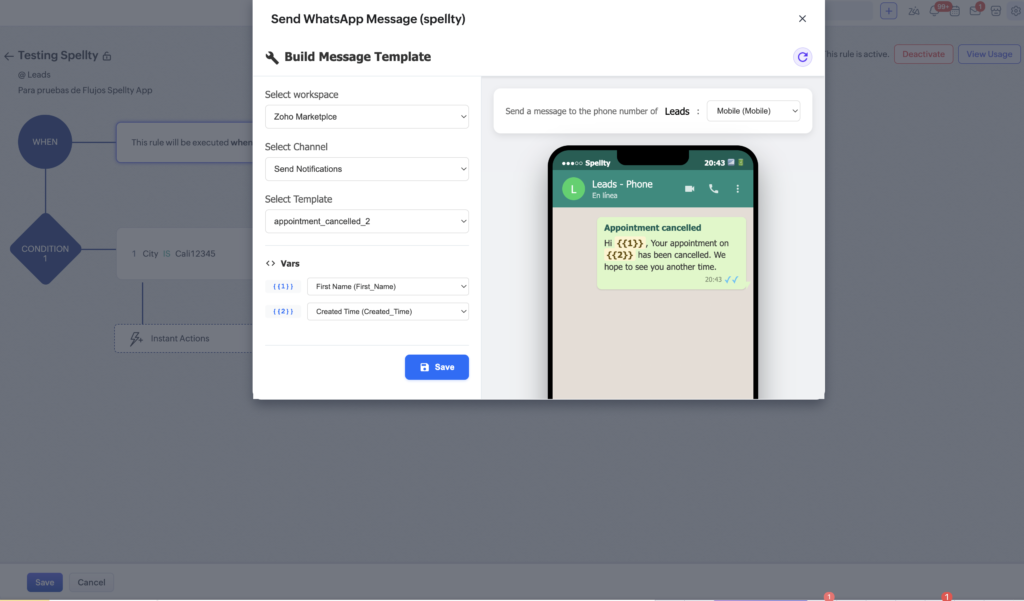
Automate WhatsApp communication directly from Zoho CRM workflows. Send personalized WhatsApp messages when leads are created, deals are updated, or customer actions occur in Zoho CRM. Improve response times, streamline follow-ups, and maintain consistent customer engagement without manual intervention.
View WhatsApp Conversation History Inside Zoho CRM
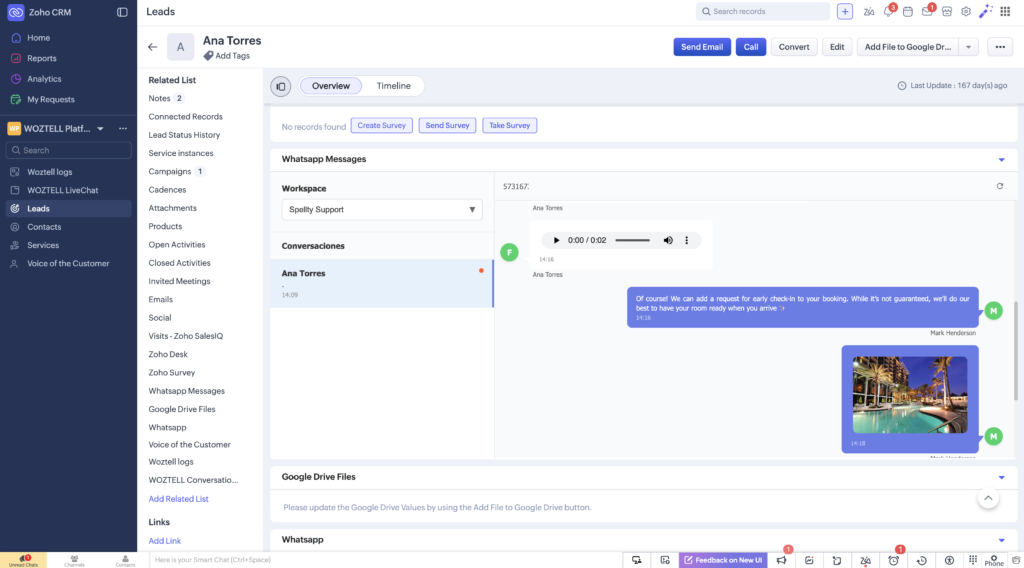
Access complete WhatsApp conversation history directly within Zoho CRM records. Sales and customer support teams can view previous WhatsApp interactions alongside Leads, Contacts, and Deals, providing full customer context and helping teams deliver more personalized experiences.
Access Zoho CRM Records While Chatting on WhatsApp
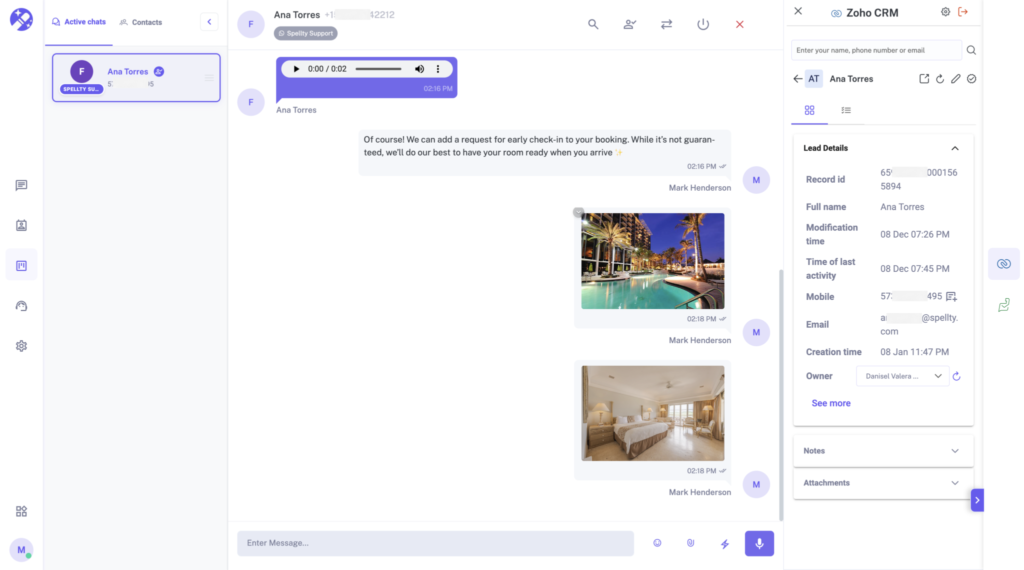
View and synchronize Zoho CRM records directly inside WhatsApp conversations with Spellty Connect. Access Leads, Contacts, Deals, Tasks, Calls, and custom fields while chatting, enabling agents to work with real-time CRM data without switching between applications.
Installation Guide
Step 1: Install Spellty from Zoho Marketplace
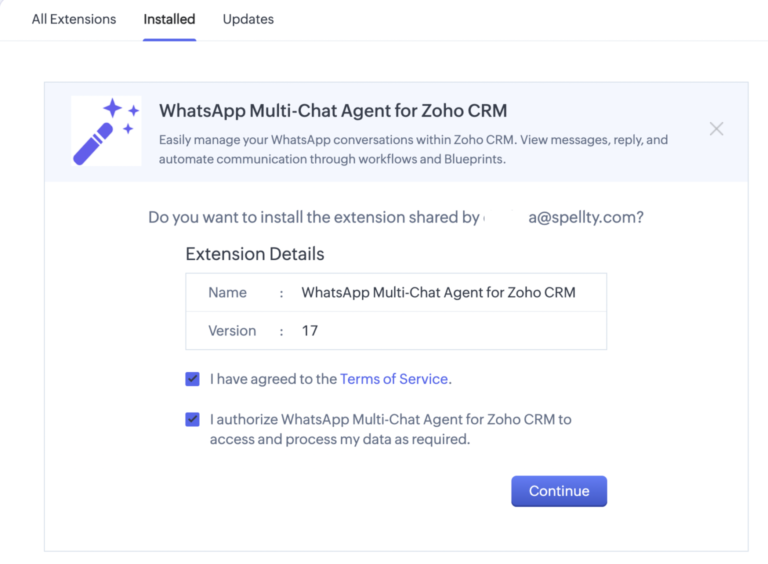
Start by installing the Spellty WhatsApp Integration for Zoho CRM. Click the installation link below and authorize the application using your Zoho CRM administrator account.
Review and approve the permissions required by Spellty to access your Zoho CRM data. These permissions allow the integration to synchronize CRM records, automate WhatsApp messages, and display customer information inside conversations.
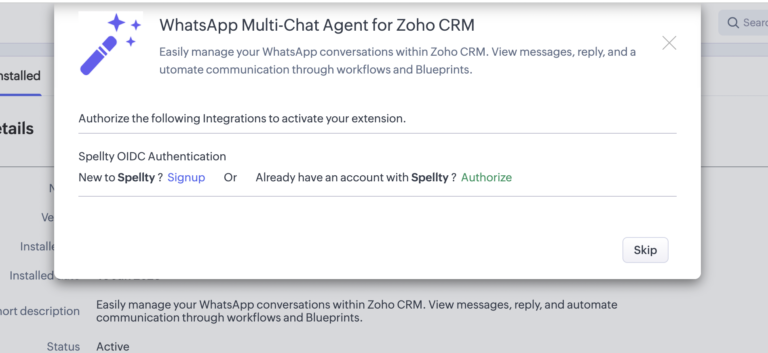
Step 3: Connect Your Spellty Account
To activate the integration, connect your existing Spellty account by clicking Authorize. If you are new to Spellty, click Signup to create an account and complete the onboarding process before returning to Zoho CRM.